EPORDO Cloud Attendance
How Attendance Rules Work
A simple visual guide to punch windows, grace periods, and which swipe the system keeps. Use this to explain settings to HR and employees.
1. Punch time windows
A punch only counts as Clock-In or Clock-Out if it happens inside the matching window. Outside the window, the swipe is ignored for In/Out calculation.
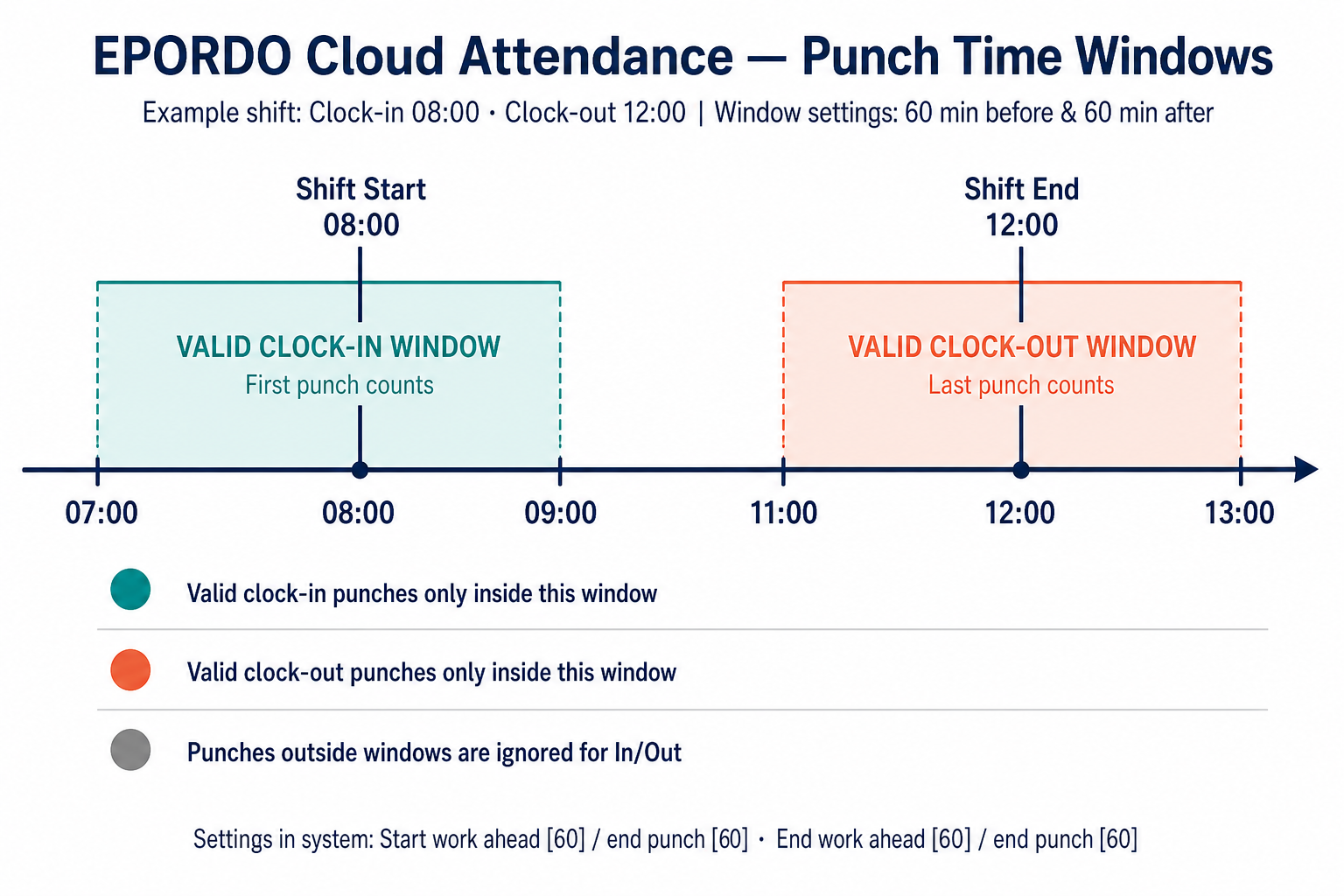
Figure A — Punch time windows overview
2. Grace periods (late & early leave)
Grace periods soften the judgment of “late” or “left early”. They do not replace the punch windows — the punch must still be inside the valid window.
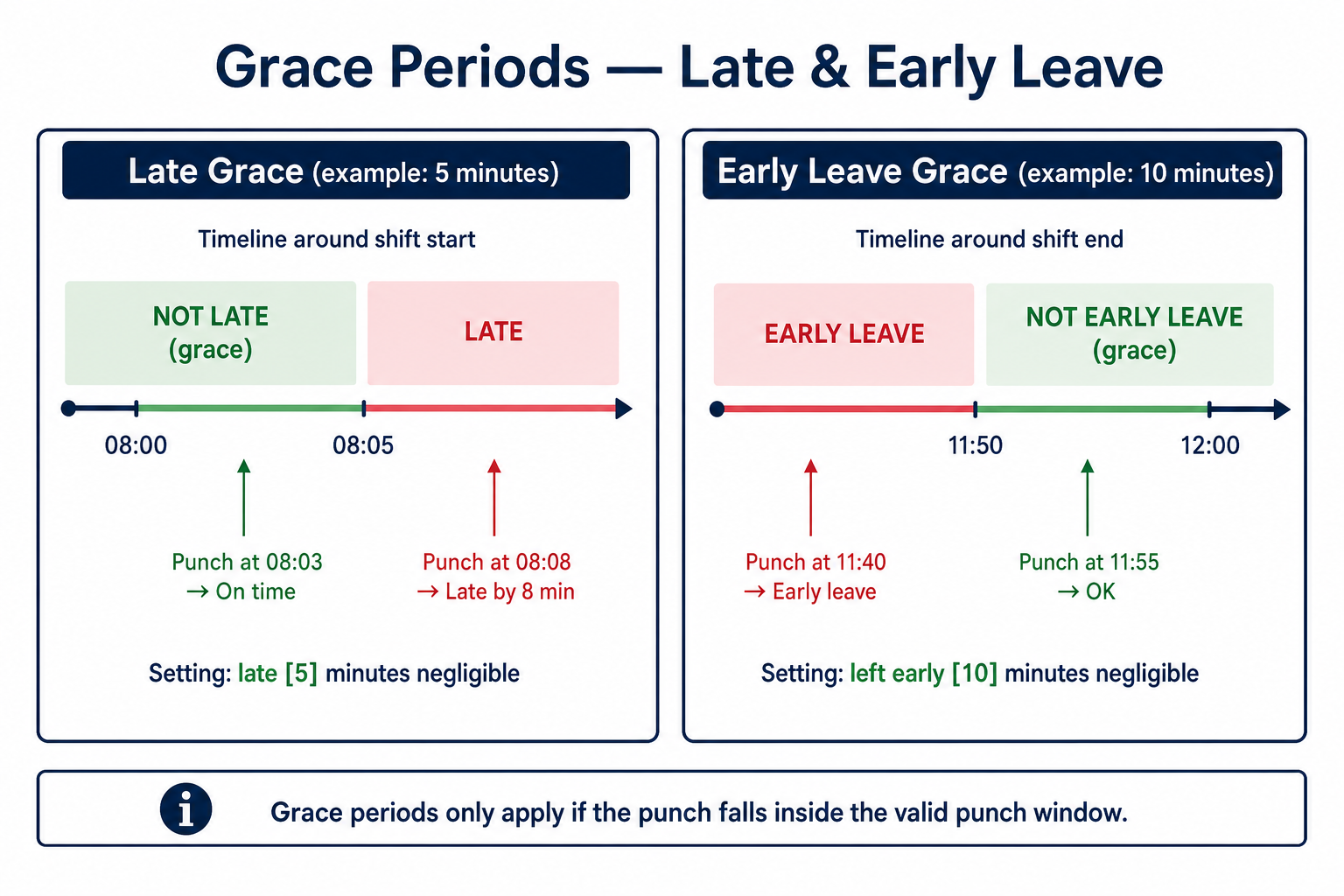
Figure B — Late & early-leave grace periods
3. First punch In · Last punch Out
Employees may swipe several times. The system keeps only one In and one Out for each window.
Clock-In window → FIRST punch
If someone punches at 07:15, 07:45, and 08:20 inside 07:00–09:00, the recorded Clock-In is 07:15.
Clock-Out window → LAST punch
If someone punches at 11:30, 12:05, and 12:40 inside 11:00–13:00, the recorded Clock-Out is 12:40.
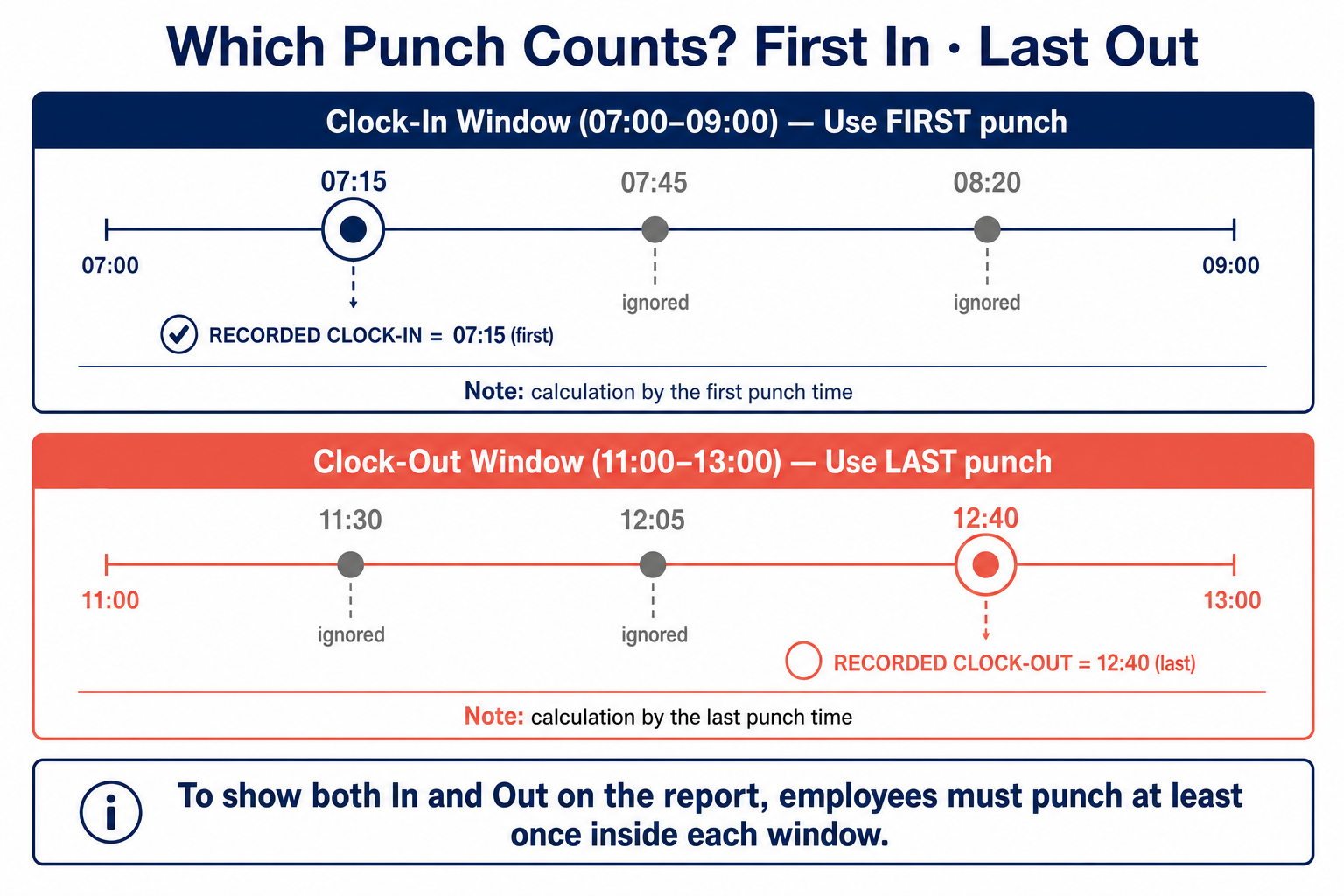
Figure C — Which punch is kept
4. System wording → plain English
Match the labels on the Attendance Setting page to everyday meaning.
| What you see in the system | What it means |
|---|---|
| late: late [5] minutes negligible | 5-minute late grace after shift start (08:01–08:05 still counts as on time) |
| left early: left early [10] minutes negligible | 10-minute early-leave grace before shift end (11:50–12:00 still OK) |
| start work: ahead [60] minutes start to punch | Clock-in window opens 60 minutes before start (07:00) |
| start work: [60] minutes end punch | Clock-in window closes 60 minutes after start (09:00) |
| end work: ahead [60] / end punch [60] | Clock-out window = 60 min before end to 60 min after end (11:00–13:00) |
| calculation by the first / last punch time | Earliest swipe = Clock-In · Latest swipe = Clock-Out |
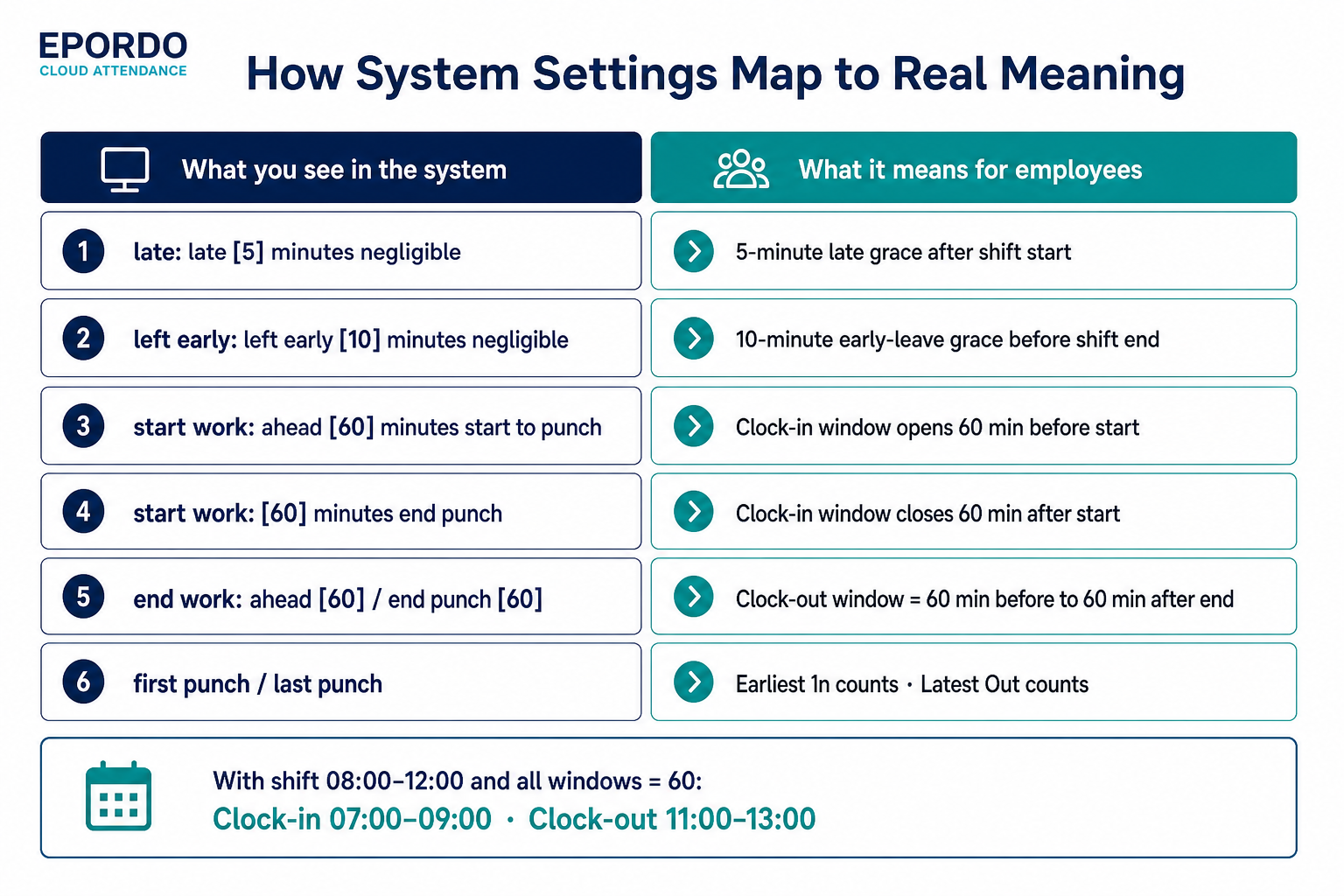
Figure D — Settings mapping cheat sheet
5. Quick checklist for employees
- Arrive in the Clock-In window — for an 08:00 start with ±60, punch between 07:00 and 09:00.
- First swipe is your In time — extra swipes in the same window do not replace an earlier In.
- Leave in the Clock-Out window — for a 12:00 end with ±60, punch between 11:00 and 13:00.
- Last swipe is your Out time — the latest punch in the out window is kept.
- Grace is small — a few minutes of late/early tolerance; missing the window still means no valid In/Out.