
Smart Hotel Access Solutions
Bluetooth Hotel Lock System with Cloud Management
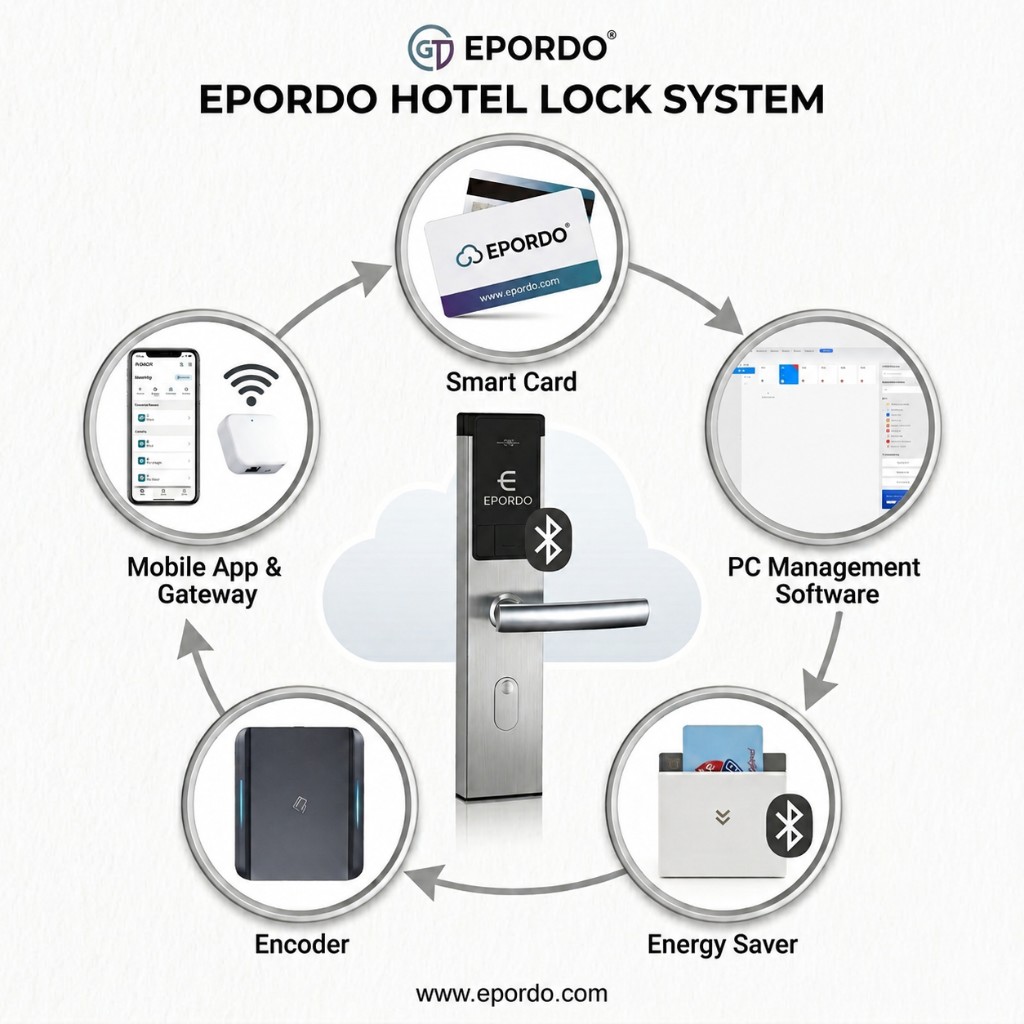
An integrated hotel access solution that connects Bluetooth door locks, hotel cards, a card encoder, WiFi power switches, and a WiFi gateway — enabling remote monitoring and control from both web and mobile.
System Overview
The EPORDO TTLock hotel system links all room devices through the WiFi gateway. Managers can check lock status, remotely lock or unlock doors, and manage room power from a computer or smartphone — a clear upgrade over traditional offline hotel lock systems.
Why It Is More Advanced
Compared with traditional hotel lock systems that rely mainly on offline cards and local front-desk operations.
Traditional Hotel Lock System
- Primarily offline card-based access
- Limited remote visibility of lock status
- Front-desk dependent daily operations
- Room power usually controlled only by local card slot
EPORDO TTLock Hotel System
- Bluetooth locks connected via WiFi gateway
- Real-time lock status on web and mobile
- Remote lock / unlock anytime, anywhere
- WiFi power switch with remote and mobile control
- Owners can review occupancy while traveling
System Components
Five core products form the complete solution: Bluetooth Door Lock, Hotel Cards, Card Encoder, WiFi Gateway, and WiFi Power Getting Switch.
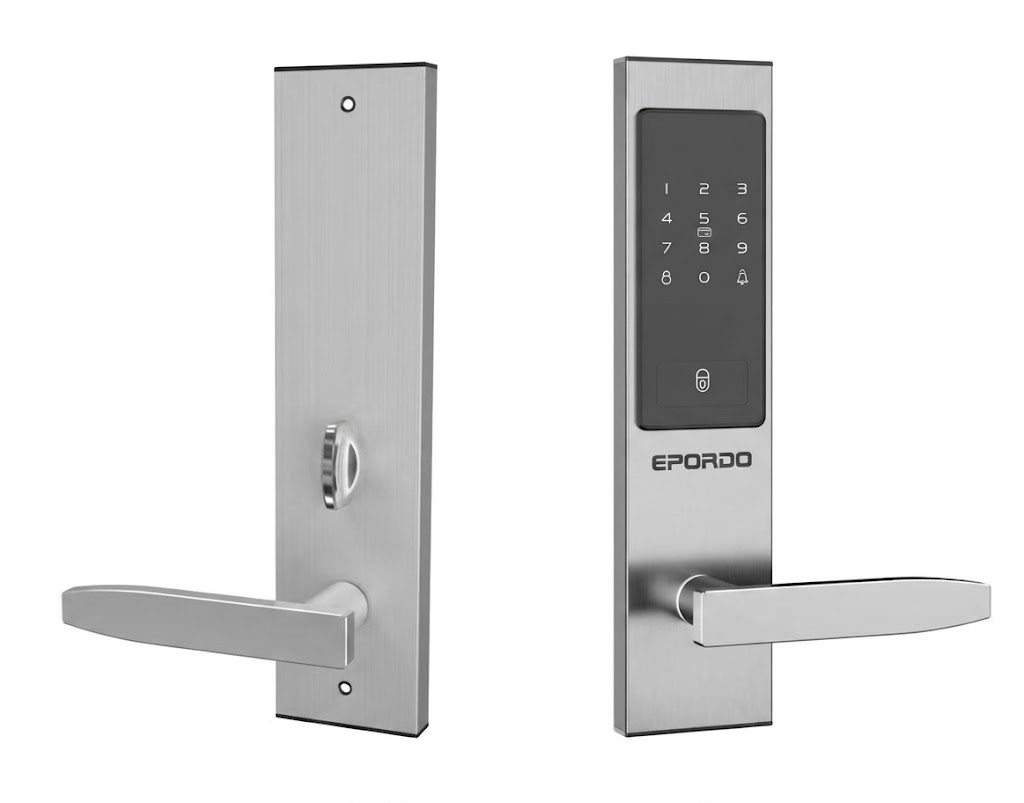
Bluetooth Door Lock
Smart hotel door lock with Bluetooth connectivity. Guests unlock with hotel cards; the lock connects to the cloud through the WiFi gateway for remote management and real-time status monitoring.
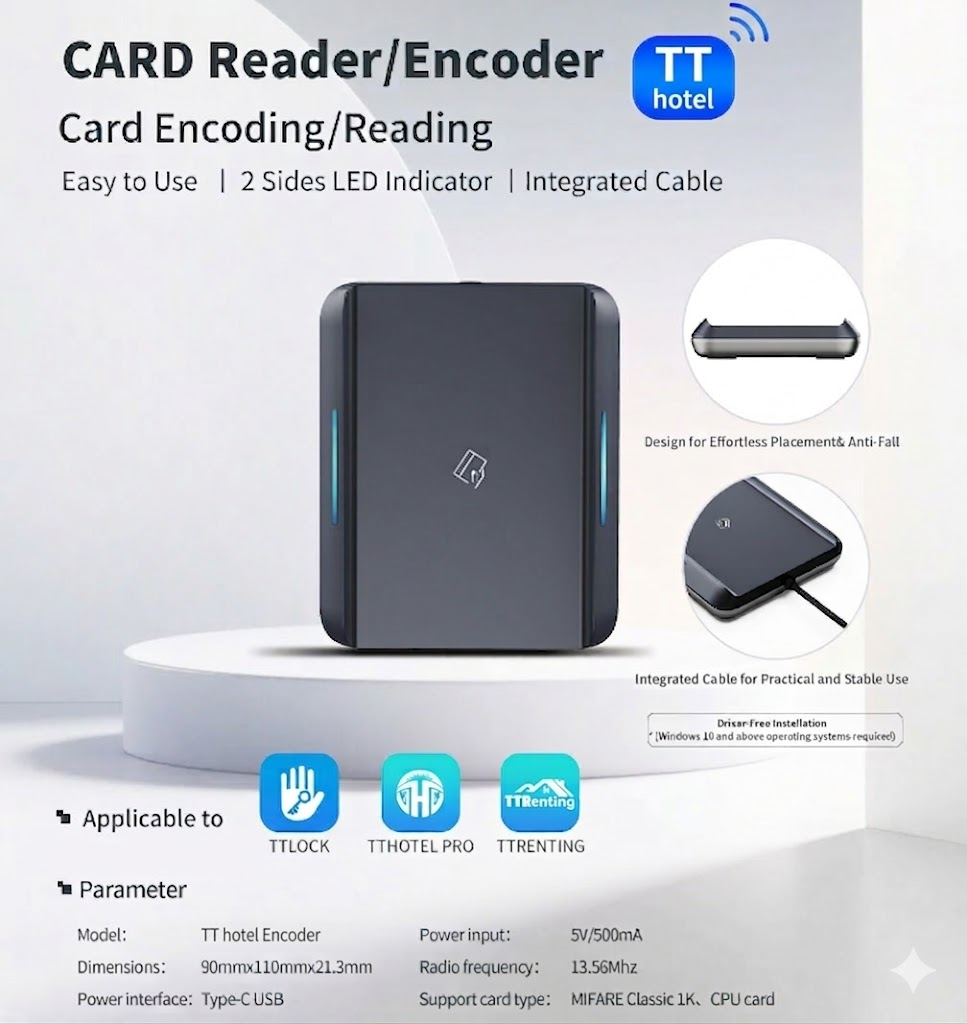
Hotel Cards & Encoder
Hotel guest cards provide room access. The dedicated card encoder issues, renews, and cancels cards. The same cards can also be used with the WiFi power getting switch for room power activation.
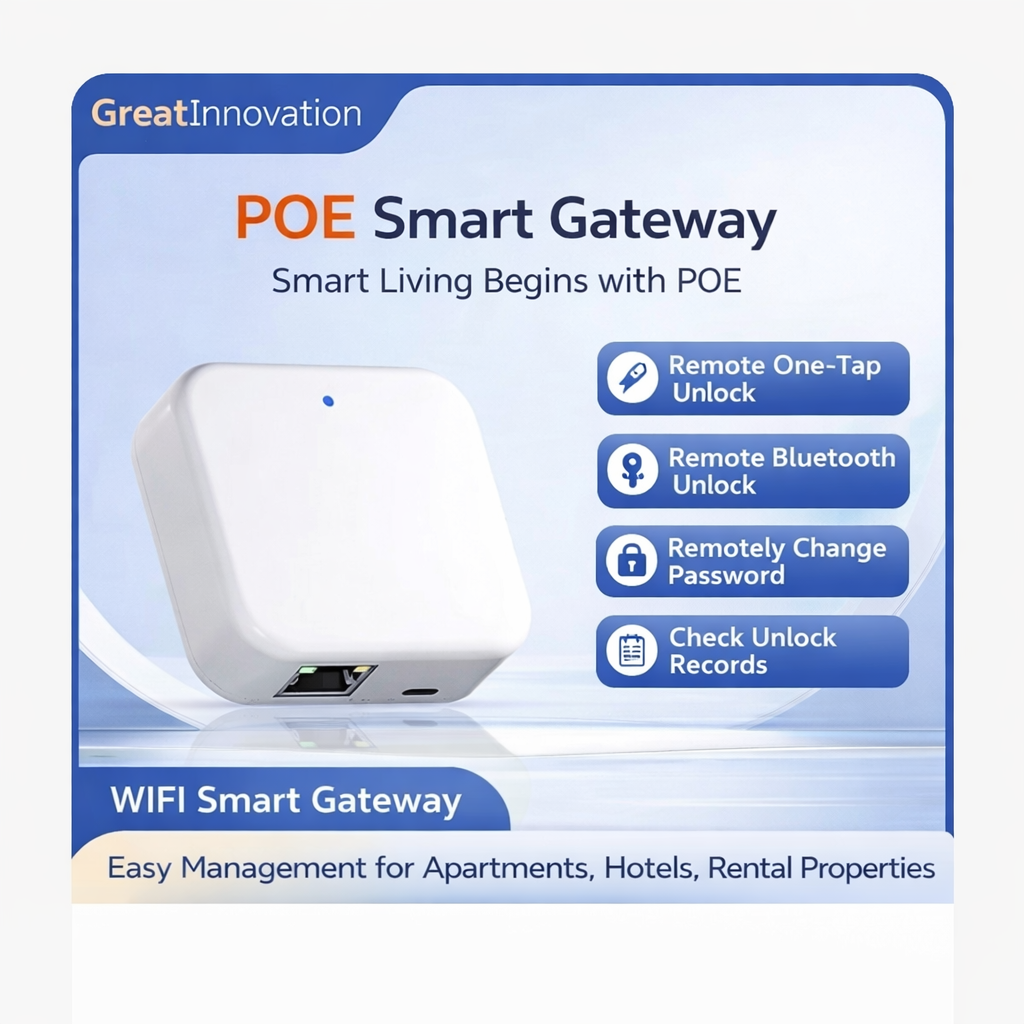
WiFi Gateway
The central bridge that connects the entire system. It links nearby Bluetooth locks to the internet so managers can remotely lock or unlock doors, check records, and view device status from web or mobile.
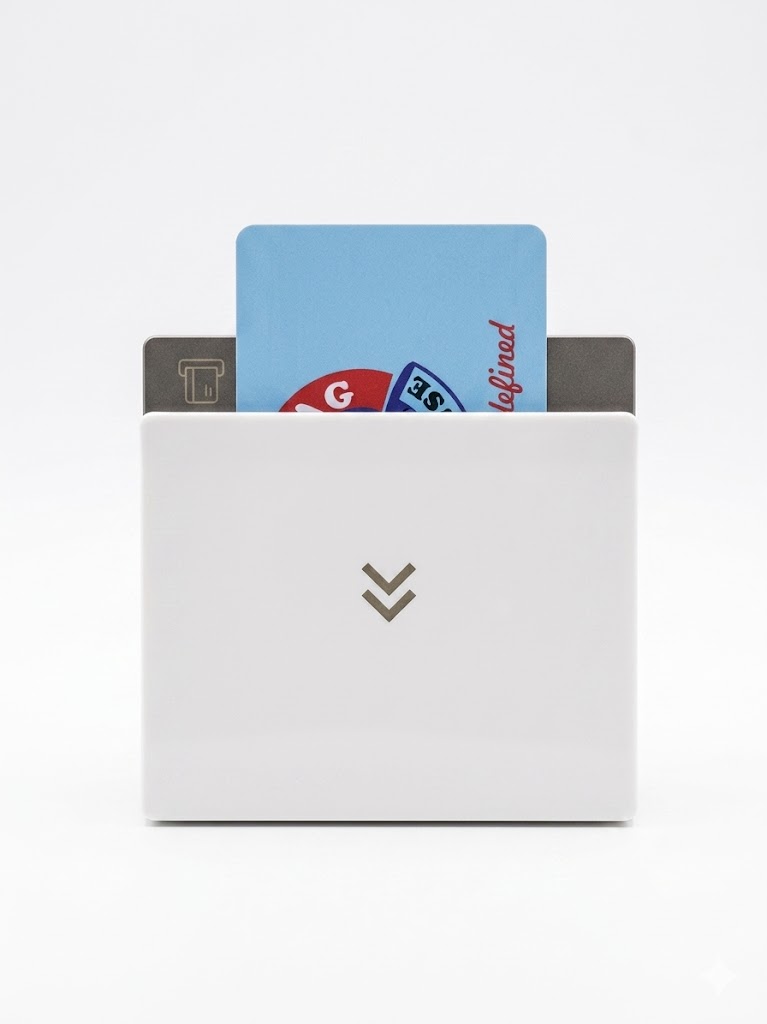
WiFi Power Getting Switch
Smart energy-saving switch for guest rooms. Supports remote power on/off and smartphone control. When adding the device, you can select hotel card power access, room card power access, or other card power access.
WiFi Gateway Installation
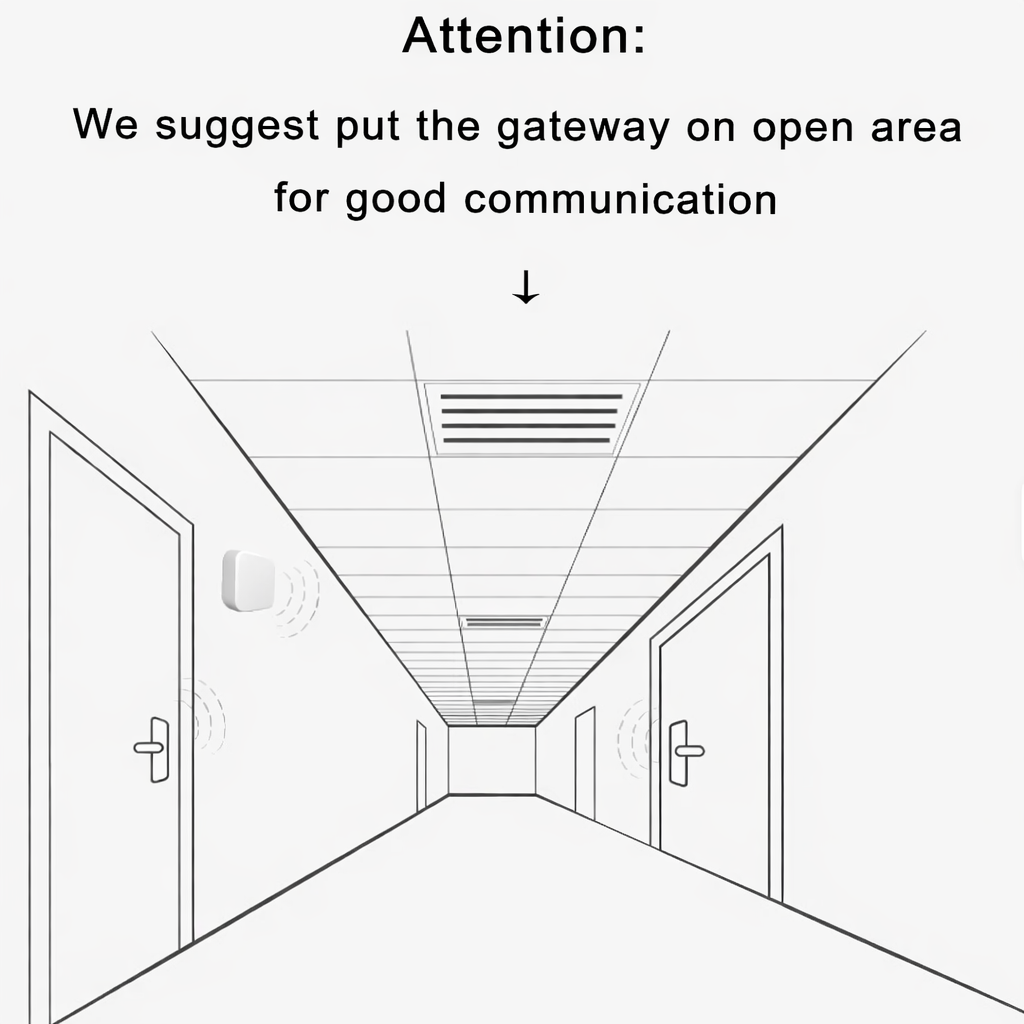
Install in an open area for best communication
The WiFi gateway should be placed in an open location — typically along the hotel corridor — so it can communicate reliably with nearby room locks.
- Recommended coverage: locks within approximately 10 meters
- Typical connection capacity: about 3–6 locks per gateway
- Actual quantity depends on the distance between room doors
- Open corridor placement improves signal quality
WiFi Power Getting Switch
Beyond traditional card-insert power slots, this WiFi power switch allows remote and mobile power control, with flexible card recognition options during setup.
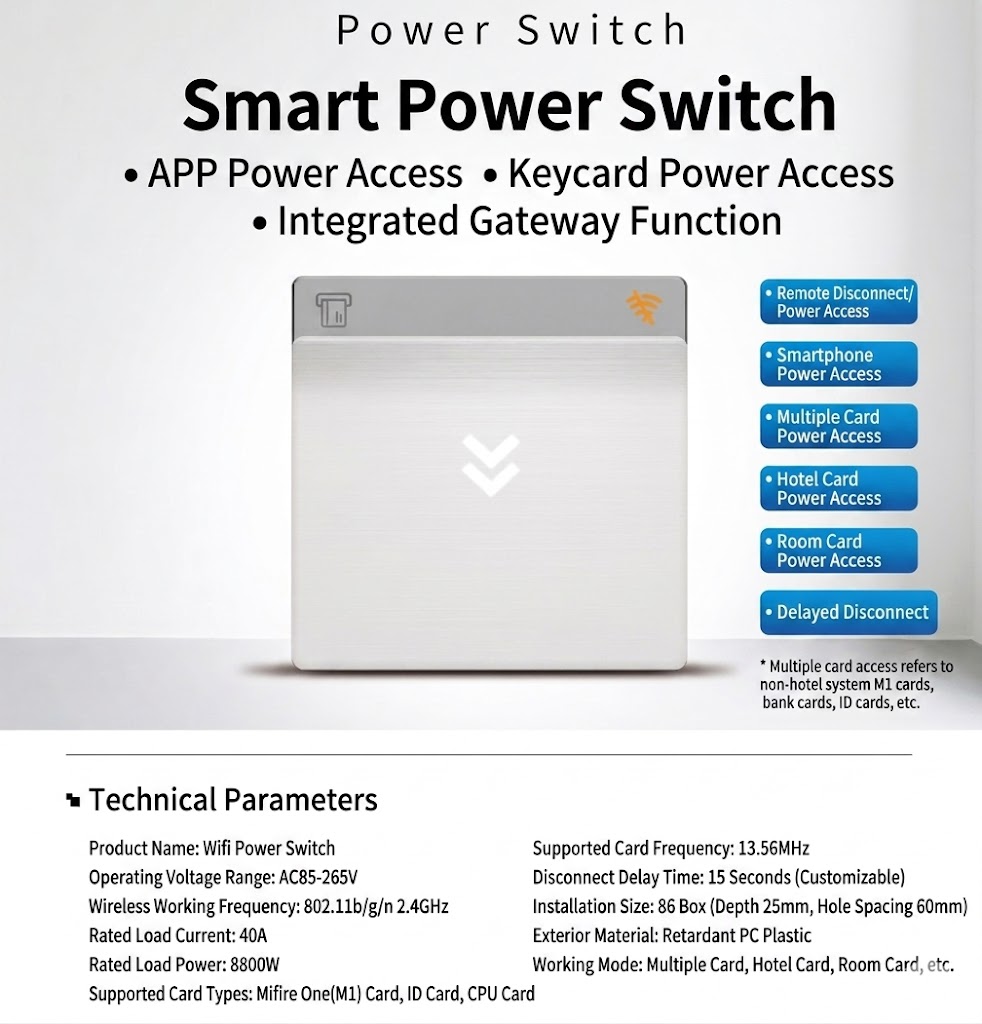
Remote & Flexible Room Power Control
Managers can remotely cut or restore room power, and guests or staff can also operate power access from a smartphone. When adding or configuring the switch, the card mode can be selected according to hotel requirements.
Web & Mobile Dual Management
Manage the hotel from the front desk computer or from a smartphone while away. Check occupancy, lock status, and perform remote lock/unlock operations anytime.
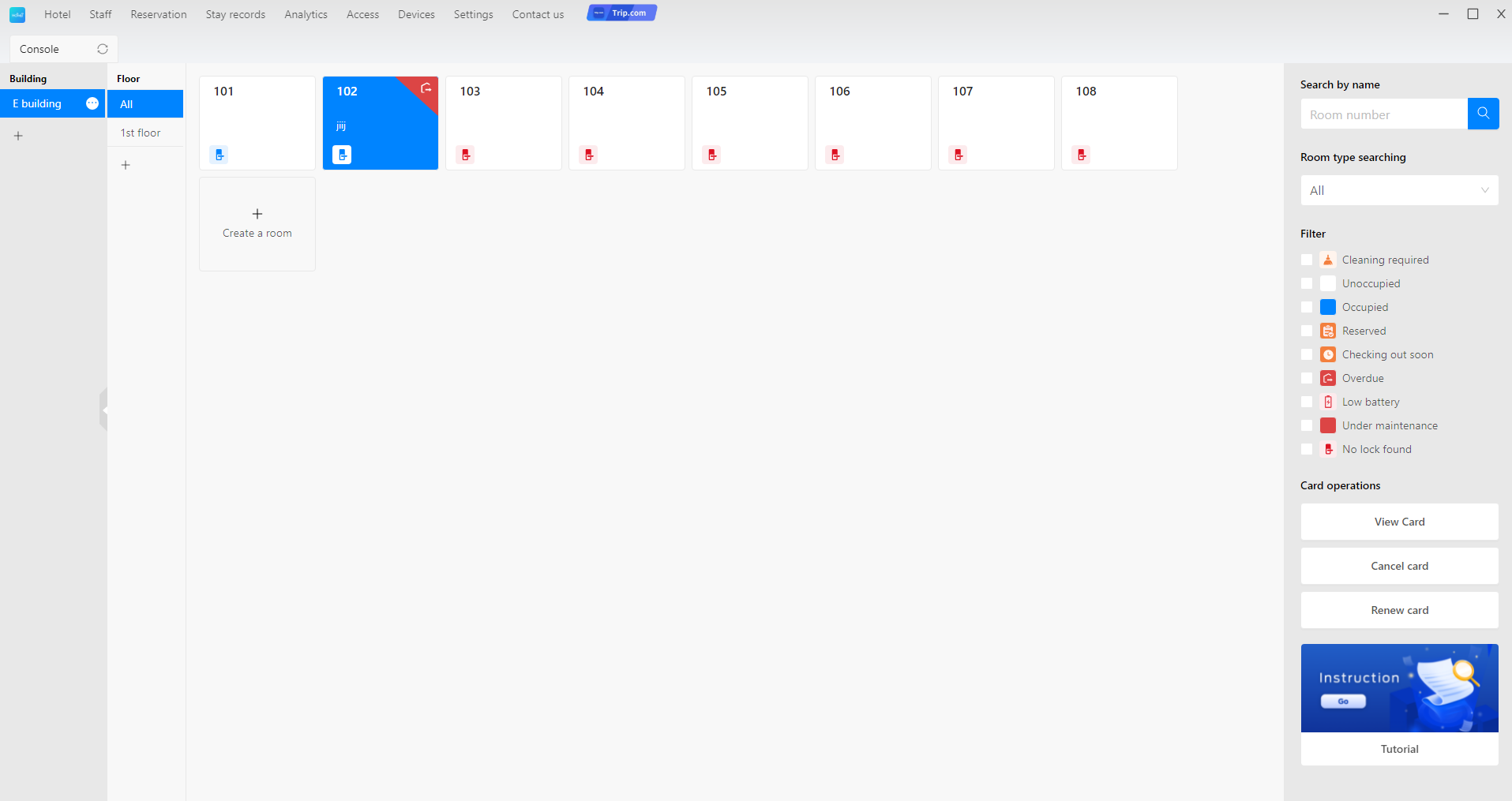
Web Management Platform
Room status overview, occupancy monitoring, device management, and card operations from a browser-based console — ideal for front-desk and hotel office use.
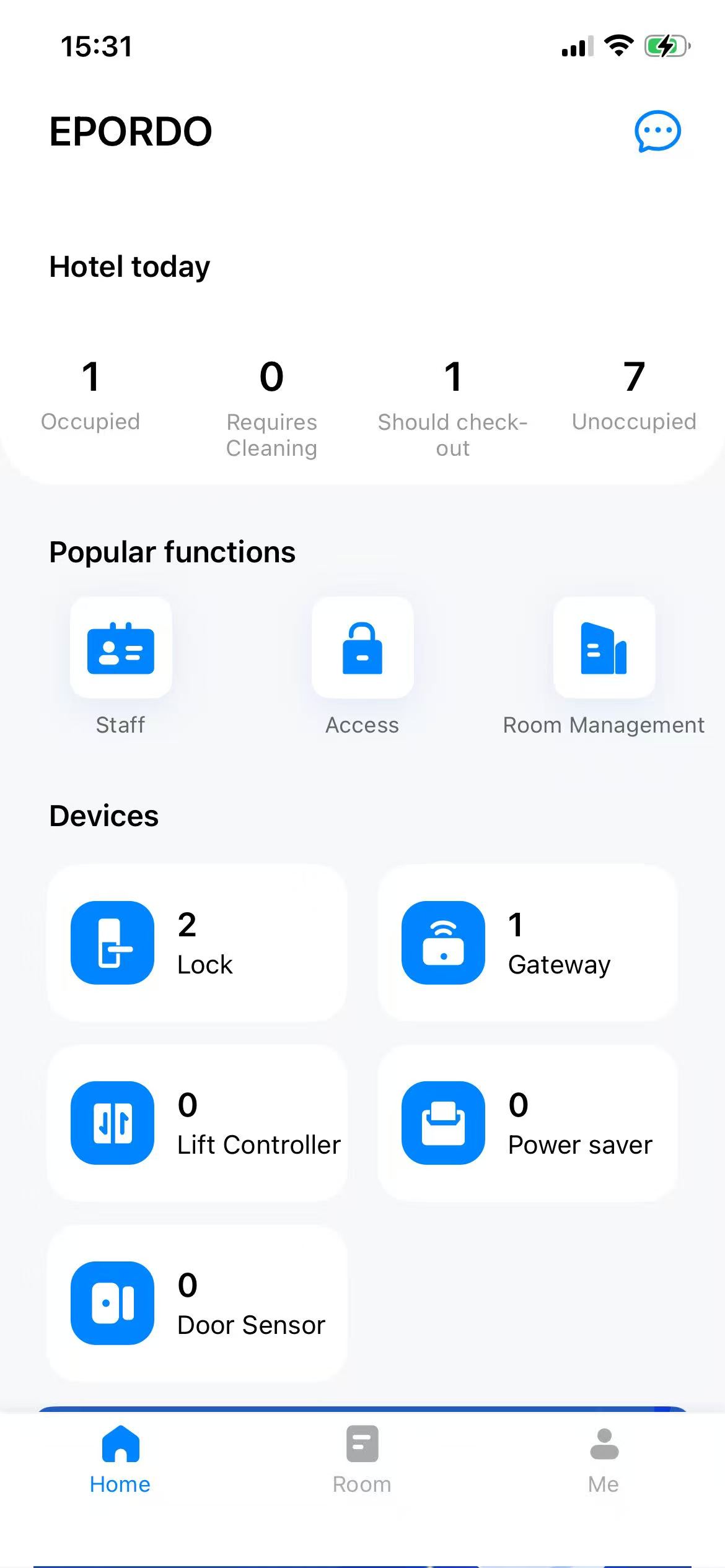
Mobile App
View today’s occupancy, device counts, and popular management functions on the go. Hotel owners can check room status even while traveling.
Key Management Capabilities
Quick User Guide
Need installation or operation steps? Open the official wireless online hotel locks quick guide below.
Wireless Online Hotel Locks — Quick Guide (PDF)
A concise English manual covering system setup and daily use. Click the button to view or download the PDF directly.
Ready for Overseas Hotel Projects
EPORDO TTLock Hotel System — Bluetooth locks connected by WiFi gateway, managed from web & mobile.