
Target
Who Is This For
- HR Managers
- Payroll Managers
- IT Administrators
- Office Administrators
- Factory Managers
- Attendance System Administrators
- Attendance Device Installers
- System Integrators
- Technical Engineers
- Time Attendance Solution Resellers
INSIGHTS
What’s Inside This File
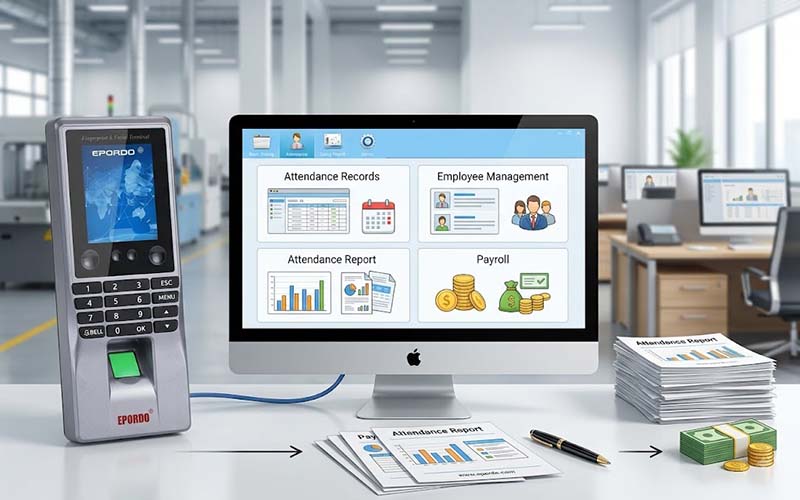
- PC-Based Time Attendance Management
Manage traditional biometric attendance machine data from a Windows PC using locally installed attendance management software. - Employee Management
Create departments and employee records, manage employee information and connect employee IDs with attendance device records. - Attendance Device Management
Register attendance devices, synchronize employee information and download attendance records from connected terminals. - Shift & Schedule Management
Create shifts, time sections and shift schemes, then assign work schedules to employees according to company working rules. - Attendance Rule Management
Configure working time, late arrival, early departure, absence, overtime and other attendance rules. - Attendance Reports
Generate daily, monthly, IN/OUT and personnel attendance reports after downloading records from the attendance device. - Manual Attendance Records
Add attendance records manually for employees who forget to punch, cannot punch or perform special work outside normal attendance arrangements. - PDF, TIF & Excel Reports
Print or save attendance reports and customize report templates for different reporting requirements. - Payroll Function
Calculate employee salary based on attendance information, salary items, salary periods and customized salary formulas. - Salary Management
Define fixed salary items, flexible salary items and formula-based salary items for different payroll requirements. - Income Tax Calculation
Configure income tax rates and use tax settings as part of salary calculation. - Microsoft Access & SQL Server
The software uses Microsoft Access as the default database and also supports Microsoft SQL Server. - Local PC-Based Operation
The software is installed and operated on a Windows computer. Attendance data can be downloaded and managed from the PC where the software is installed.
Frequently Asked Questions
Is EPORDO Time Attendance Software free to download?
Yes. The EPORDO Time Attendance Software V5.1 installation package is available as a free download. Software registration may require the appropriate software serial number.
Is this a cloud attendance software?
No. EPORDO Time Attendance Software V5.1 is traditional PC-based attendance software. It is installed and operated on a Windows computer rather than managed through a cloud platform.
Can I use this software from a mobile phone?
No. This V5.1 software is designed for Windows PC use and does not provide mobile management functionality.
Where is the attendance data stored?
The software uses a local database. Microsoft Access is the default database, and Microsoft SQL Server is also supported.
Can I download attendance data from the attendance machine?
Yes. The software supports downloading employee information and attendance records from connected attendance devices.
Does the software support payroll?
Yes. Payroll is one of the main functions of the software. It supports salary items, salary periods, fixed and flexible salary values, salary formulas and income tax rate settings.
Can I manage employee shifts?
Yes. You can create shifts, time sections and shift schemes and assign shift schemes to employees.
Can I export attendance reports to Excel?
Yes. The software includes Excel report templates for personnel, monthly, daily and IN/OUT attendance reports.
Does the software support PDF reports?
Yes. The software supports print, PDF and TIF output for attendance reports.
Need help setting up your system,Need a complete solution?
We provide full technical support and customerized solutions.