
Target
Who Is This For
- HR Managers
- IT Administrators
- Attendance System Integrators
- Security System Installers
- Technical Engineers
- Office Administrators
- Payroll Managers
- Biometric Device Distributors
- Attendance Solution Resellers
INSIGHTS
What’s Inside This File
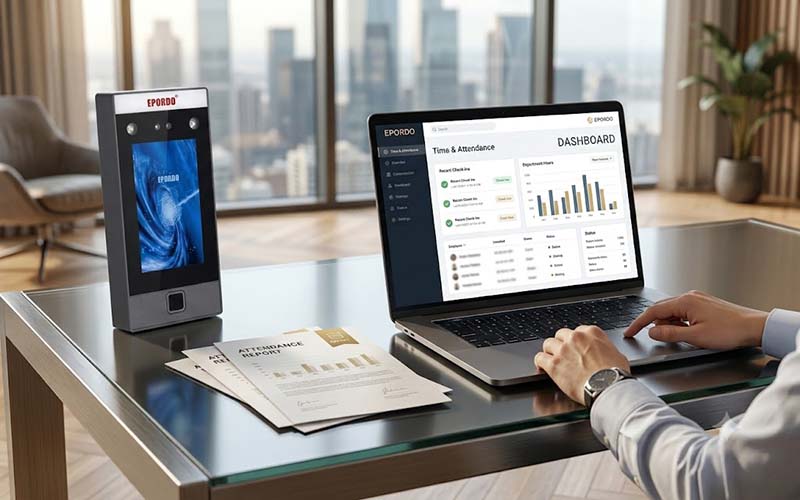
- Free Windows Attendance Management Software
Install and manage fingerprint, face recognition and RFID attendance terminals from your PC. - Employee Management
Create employee profiles, departments, user permissions and biometric templates. - Device Management
Connect attendance terminals via TCP/IP, USB or RS232/RS485 and synchronize employee information. - Attendance Rules Configuration
Configure shifts, attendance rules, holidays, overtime and leave settings. - Attendance Reports
Generate detailed attendance reports with daily, weekly and monthly statistics. - Real-Time Attendance Monitoring
Monitor employee check-in and check-out records instantly. - Access Control Management
Manage unlock schedules, access groups and access permissions. - Database Support
Supports Microsoft Access and SQL Server databases with backup and restore functions. - Compatible with EPORDO Attendance Devices
Designed for fingerprint, face recognition and RFID time attendance terminals.
Frequently Asked Questions
Is this software free?
Yes. EPORDO provides this Windows attendance management software as a free download for compatible attendance devices.
Which operating system is supported?
The software is designed for Microsoft Windows computers.
Which attendance devices are supported?
It supports compatible EPORDO fingerprint, facial recognition and RFID attendance terminals(non-cloud terminals)
Does it support employee attendance reports?
Yes. The software can generate attendance reports, attendance statistics and attendance records.
Can I manage multiple attendance devices?
Yes. Multiple attendance terminals can be added and managed from one software platform.
Does the software support shift scheduling?
Yes. You can configure work shifts, attendance rules, holidays, overtime and leave settings.
Does it support access control?
Yes. Access control management including unlock groups, unlock schedules and door permissions is included.
Is SQL Server supported?
Yes. The software supports both Microsoft Access and SQL Server databases.
Is registration required?
No. Simply download the software and install it on your Windows computer.
Need help setting up your system,Need a complete solution?
We provide full technical support and customerized solutions.