Why Can Attendance Devices Go Offline?
Internet interruptions are more common than many organizations realize.
Common situations include:
- Remote sites with weak mobile signals
- Construction sites and outdoor workplaces
- Attendance devices installed on buses or vehicles
- Router power failures
- ISP service interruptions
- Network equipment maintenance
- Temporary Wi-Fi outages
- Accidental disconnection of network equipment
In these situations, a cloud attendance device may temporarily lose communication with the cloud server.
However, this does not mean attendance tracking stops.
How Employees Continue Clocking In Without Internet
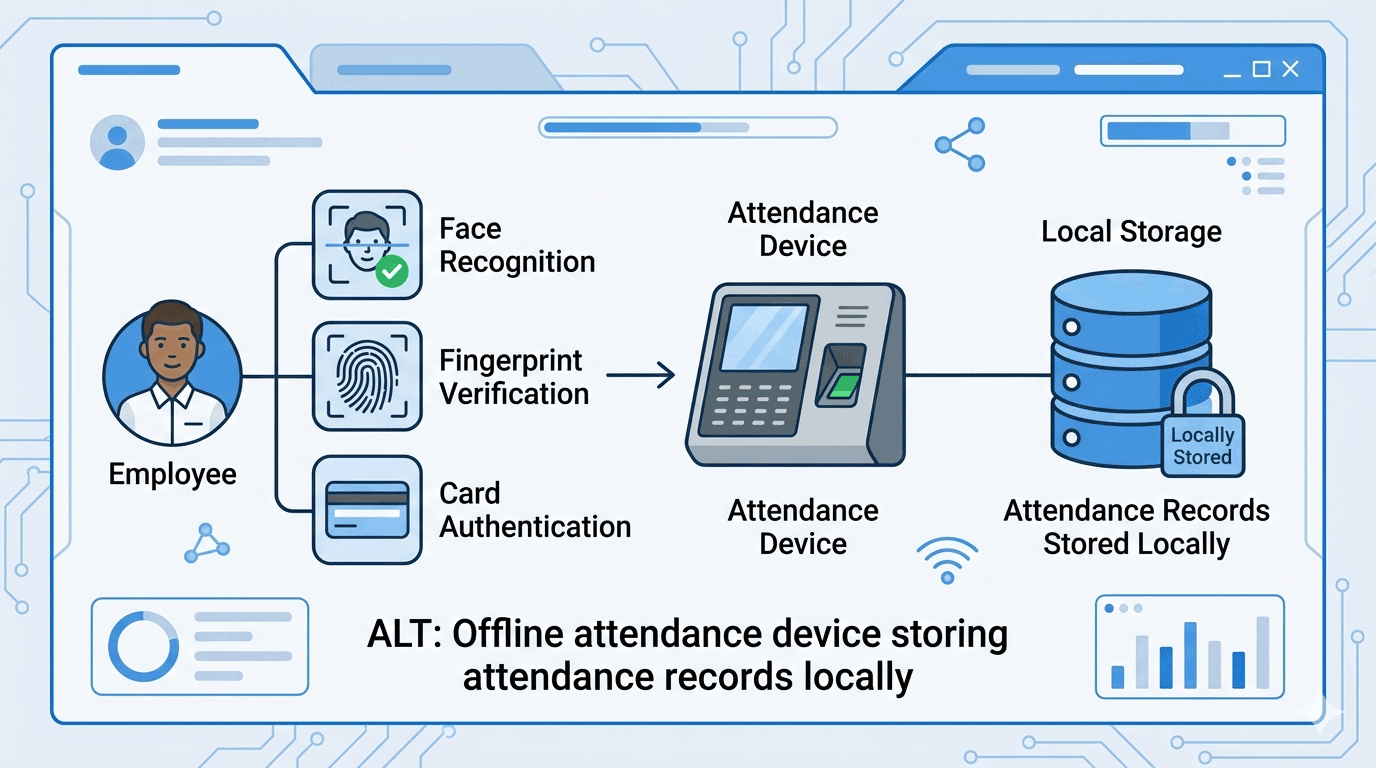
Modern attendance terminals store authentication data locally.
Depending on the device type, this may include:
- Employee cards
- PIN codes
- Fingerprints
- Face templates
- Palm recognition templates
Because the verification data is already stored inside the device, employees can continue clocking in normally without requiring real-time communication with the cloud server.
The attendance experience remains exactly the same for employees.
The only difference is that attendance records are temporarily stored inside the device until synchronization becomes available.
read more about biometric terminal for cloud attendance system
How Offline Attendance Records Are Stored
When the device cannot communicate with the cloud platform, newly generated data is placed into a local synchronization queue.
Examples include:
Attendance Records
Clock-in and clock-out events remain safely stored within the device memory.
New Employee Registration
If an employee is enrolled directly on the device, the registration data is also stored locally until synchronization is available.
Device Events
Administrative actions and system logs can also be queued for later transmission.
This design ensures that no attendance information is lost during temporary network interruptions.
How Automatic Cloud Synchronization Works
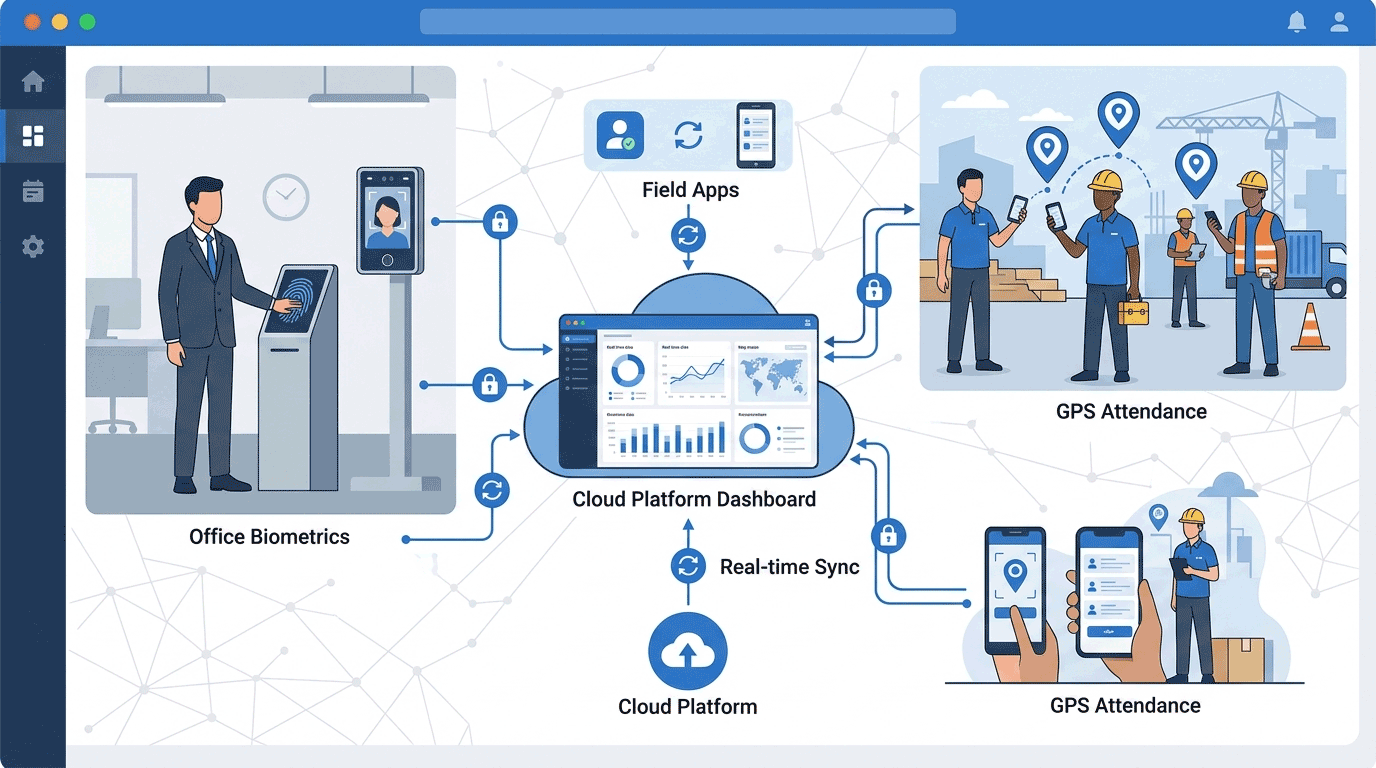
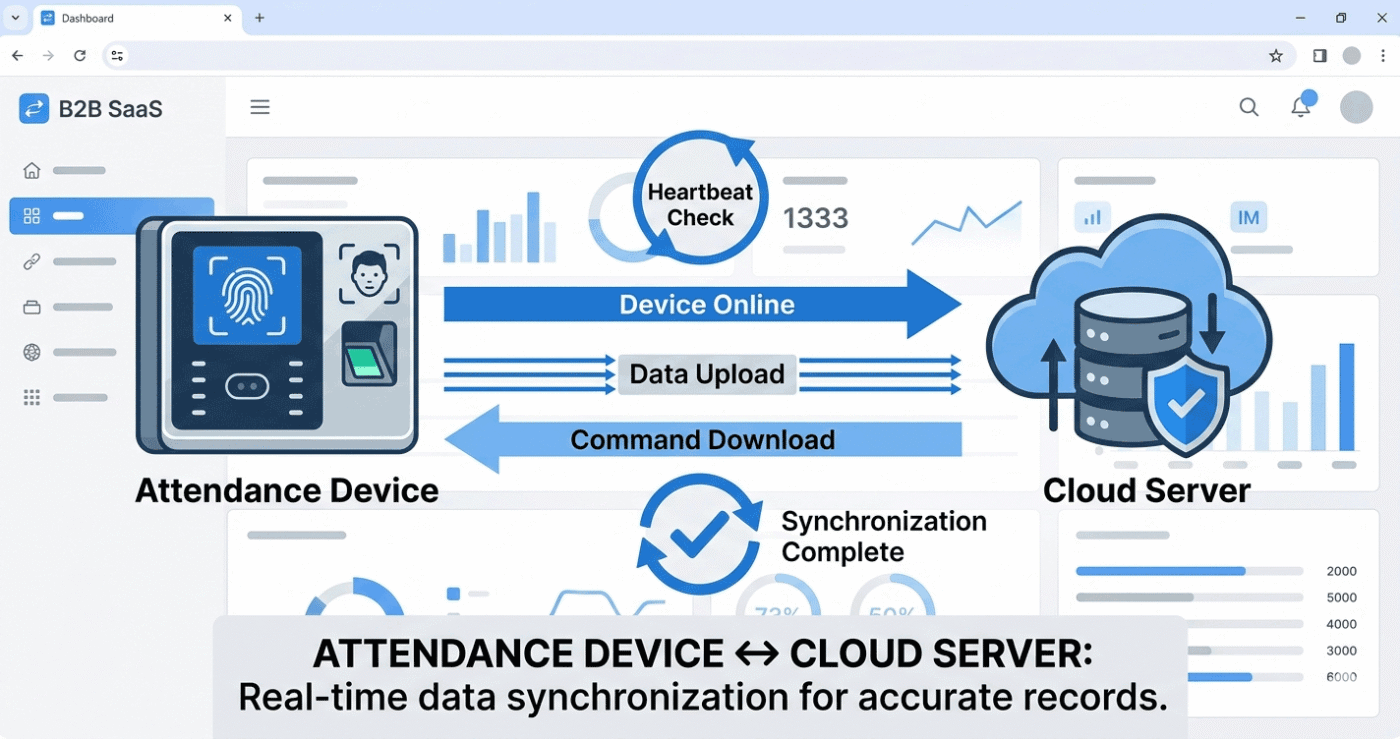
Cloud attendance systems use a continuous communication mechanism between devices and servers.
At regular intervals—typically every few seconds—the device sends a small request to the cloud server.
This process is often referred to as a heartbeat connection.
When the cloud server successfully responds:
- The device confirms that communication has been restored.
- The cloud platform recognizes the device as online.
- Pending synchronization begins automatically.
No manual intervention is required.
What Happens After the Connection Is Restored?
Once communication is re-established, synchronization occurs in both directions.
Device Uploads Pending Data
The attendance device automatically uploads:
- Offline attendance records
- New employee registrations
- Device-generated updates
Cloud Server Sends Pending Tasks
The cloud platform may also send:
- New employee enrollment commands
- Employee updates
- Device configuration changes
- Administrative instructions
All queued tasks are processed automatically until synchronization is complete.
How Cloud Attendance Systems Handle Extended Network Outages
Enterprise-grade cloud attendance systems are designed around eventual synchronization.
This means temporary communication failures are expected and fully supported.
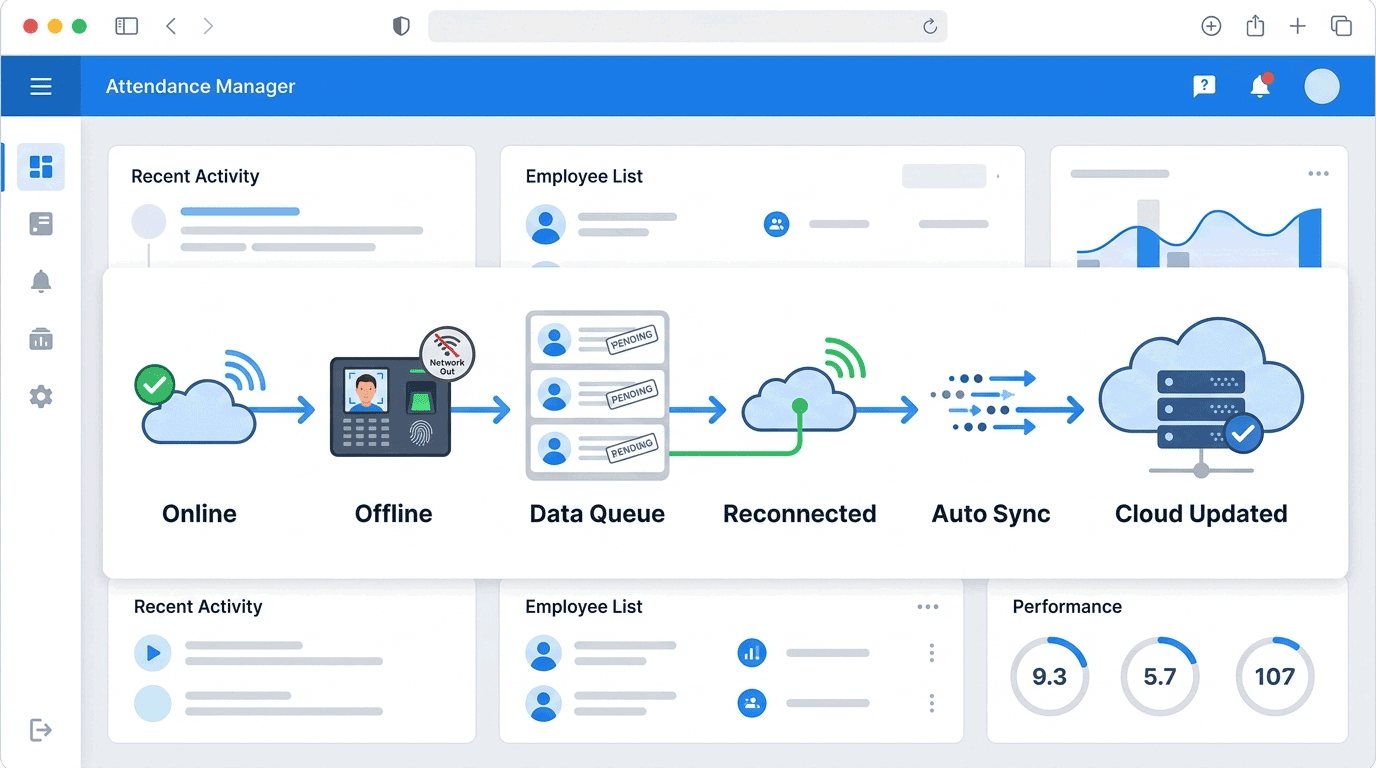
When a device is offline:
- Attendance collection continues
- Records remain stored safely
- New data is queued automatically
- Administrative actions remain pending
When connectivity returns:
- Upload queues resume
- Download queues resume
- Processing continues automatically
- Synchronization status is updated
The entire process is handled by the system without requiring operators to monitor the device continuously.
enefits of Automatic Offline-to-Cloud Synchronization
Organizations benefit from:
Improved Reliability
Attendance tracking continues even during internet disruptions.
Reduced Administrative Work
No manual data export or import is required.
Better User Experience
Employees can clock in normally without noticing network issues.
Accurate Attendance Records
Attendance data remains complete and synchronized once connectivity returns.
Suitable for Challenging Environments
Ideal for:
- Construction sites
- Manufacturing facilities
- Warehouses
- Transportation fleets
- Remote branches, read more track employe attendance remotely
- Multi-location organizations, read more Attendance for Multi-Location Businesses
Conclusion
A modern cloud attendance system does not stop working when the internet goes down.
Attendance devices continue authenticating employees locally, store attendance records securely, and automatically synchronize all pending data once connectivity is restored.
This combination of offline operation and automatic cloud synchronization ensures reliable attendance tracking even in environments where network availability cannot always be guaranteed.